ქსელური მოწყობილობები for Business Networks
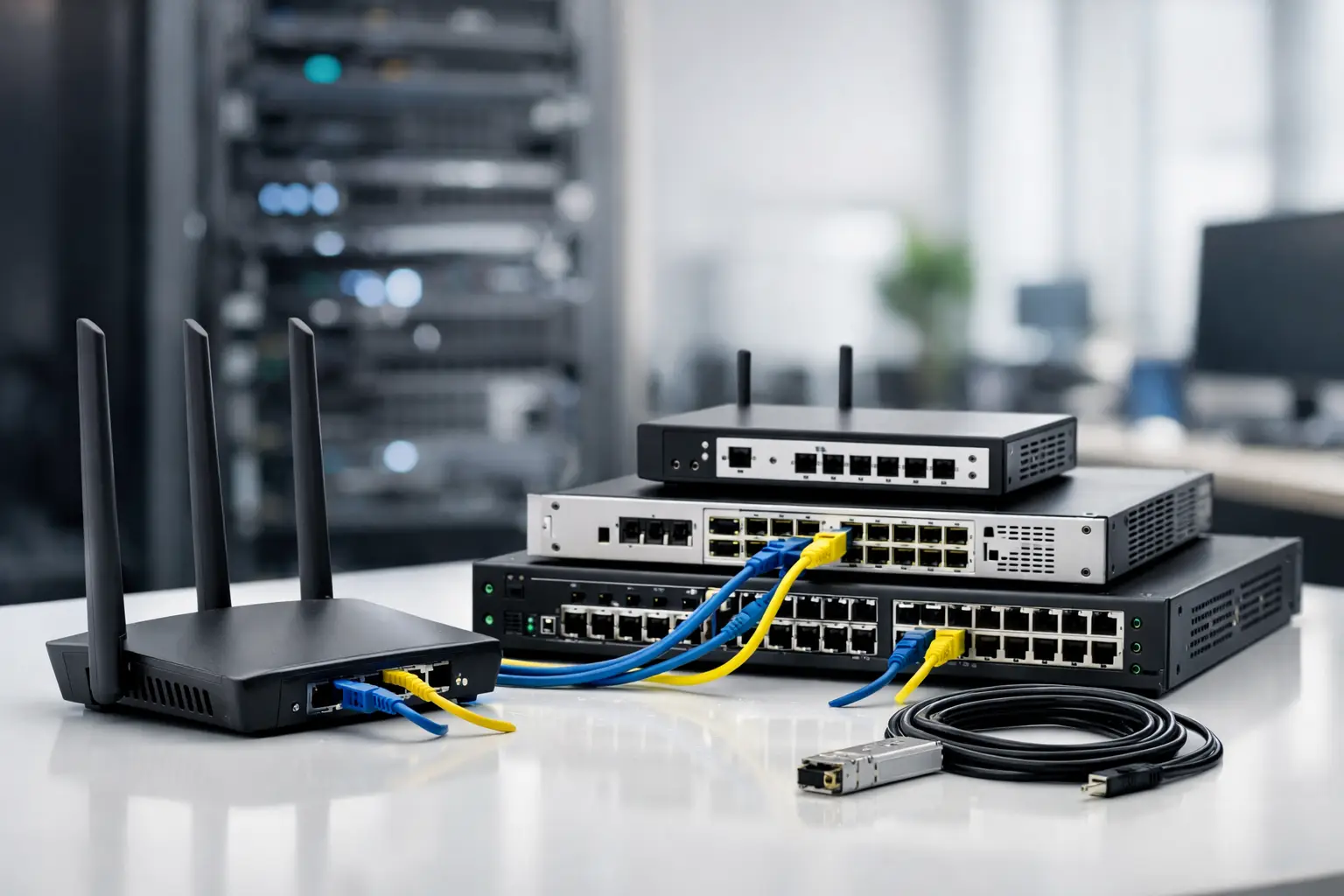
A slow file transfer, unstable video call, or unexplained outage is rarely solved by buying one more access point. The real answer is usually a better infrastructure decision. Choosing the right ქსელური მოწყობილობები means matching switches, routers, firewalls, wireless equipment, optics, and cables to the way your organization actually operates – not simply selecting the lowest-priced model or the highest port count.
For IT managers and procurement teams, network equipment is a long-term operating purchase. It affects application performance, security policy, remote access, expansion capacity, and the time required to troubleshoot problems. A practical purchasing plan starts with the network role each device must perform, then checks compatibility, licensing, availability, and support requirements before an order is placed.
What Network Equipment Does Your Business Need?
A business network is made of connected layers. Each layer has a different responsibility, and confusion between them often leads to unnecessary spending or performance gaps.
The router connects separate networks and typically manages the connection between the local network and an internet service provider. For a small office, this may be a compact device with built-in security functions. For a multi-site company, the router may handle VPN connections, traffic prioritization, dynamic routing, and redundant WAN links.
The switch connects computers, servers, IP phones, cameras, printers, and wireless access points inside the local network. An unmanaged switch can work for a simple, isolated setup, but a managed switch gives IT teams VLANs, port monitoring, traffic control, access policies, and remote administration. These functions matter as soon as different departments, guest users, cameras, or voice services share the same infrastructure.
A firewall controls traffic entering and leaving the network. Enterprise firewall platforms from vendors such as Fortinet, Cisco, Juniper, and Huawei can apply security rules, inspect traffic, support site-to-site VPNs, and provide visibility into threats and applications. The appropriate model depends on enabled services, not only the advertised firewall throughput. Turning on intrusion prevention, VPN, web filtering, or SSL inspection can substantially change required performance.
Wireless access points provide Wi-Fi coverage, while controllers or cloud management platforms simplify configuration across many locations. The access point choice should reflect client density, building layout, radio interference, and required Wi-Fi standard. A warehouse, hotel, classroom, and open-plan office may have similar floor area but very different wireless requirements.
Cables, transceivers, patch panels, racks, power supplies, and mounting accessories are not minor details. A switch with 10GbE uplinks cannot deliver expected results if the installed cabling, SFP modules, or upstream equipment is mismatched. Include these items in the same bill of materials rather than treating them as an afterthought.
Start With Traffic, Users, and Growth
The most useful specification is not a model number. It is a clear picture of demand. Count connected endpoints, but also identify what those endpoints do. Thirty office laptops generate a different load than thirty IP cameras, design workstations, point-of-sale terminals, or voice-over-IP phones.
Ask how many wired ports are needed now and how many will be required within the next two to three years. A 24-port switch may look sufficient for 20 users, yet it can become restrictive after connecting access points, cameras, printers, uplinks, and spare ports for expansion. Choosing 48 ports is not automatically better, however. It may increase cost, power use, rack space, and management scope. The right capacity is the one that leaves realistic headroom without paying for unused infrastructure.
Power over Ethernet is another major decision. PoE allows a switch to power access points, IP phones, cameras, and certain sensors through Ethernet cabling. Check both PoE standard and total power budget. A switch can have 24 PoE ports but still be unable to power 24 high-demand devices simultaneously. Calculate the expected wattage of each endpoint and leave room for future additions.
Uplink speed deserves the same attention. Gigabit access ports remain suitable for many office devices, but Wi-Fi 6 or Wi-Fi 7 access points, storage systems, video workloads, and dense user environments may require 2.5GbE, 10GbE, or fiber uplinks. A fast access layer connected to a congested uplink only moves the bottleneck.
Managed Switches: Control That Pays Off
Managed switches are usually the better fit for organizations that require segmentation, security, or visibility. VLANs can separate employee devices, guest Wi-Fi, cameras, finance systems, and voice traffic. This reduces unnecessary broadcast traffic and limits the effect of an issue in one network segment.
Look for features that match the environment: Layer 2 or Layer 3 switching, static or dynamic routing, link aggregation, spanning tree protection, QoS, MAC-based controls, and SNMP monitoring. Not every organization needs all of them. A small branch may need stable VLAN support and PoE, while a core switch in a larger campus may require redundant power, high-speed fiber interfaces, and advanced routing.
Brand and platform consistency can also reduce operational effort. If the IT team already uses a specific management platform or has established standards around Cisco, HPE, Juniper, Huawei, or another vendor, adding compatible equipment can simplify deployment, monitoring, training, and spare-part planning. A mixed-vendor network can work well, but it should be a deliberate choice rather than an accidental result of isolated purchases.
Security Appliances Should Be Sized for Real Use
Firewall selection is often based on a single headline number. This creates risk because manufacturers publish different throughput values for different services. Raw firewall throughput can be far higher than throughput with threat protection, VPN tunnels, logging, or encrypted traffic inspection enabled.
Before sourcing a security appliance, define the internet connection speed, number of users, remote employees, branch locations, applications, and required security services. If a company plans to inspect encrypted web traffic or connect multiple sites through VPN, the appliance needs enough capacity for those workloads. It is usually more cost-effective to size correctly at the beginning than to replace an undersized firewall after a security policy rollout.
Licensing and subscriptions should be included in the procurement review. Hardware may be available immediately, while advanced threat intelligence, web filtering, cloud management, or vendor support can depend on an active subscription. Confirm the license term, renewal process, regional eligibility, and whether the selected SKU includes the required services.
Wireless Coverage Is Not Just an Access Point Count
Buying access points by square footage alone often produces unreliable coverage. Walls, shelving, glass, machinery, neighboring Wi-Fi networks, and client density all affect performance. A site survey is especially valuable for offices with meeting rooms, retail spaces, industrial facilities, hospitality venues, and multi-floor buildings.
Plan the wired side of Wi-Fi as carefully as the radio side. Each access point needs suitable PoE, cable runs, switch capacity, and uplink bandwidth. Central management can be valuable when multiple access points or sites are involved, because it helps maintain consistent SSIDs, security settings, firmware versions, and guest access policies.
For high-density environments, more access points are not always the answer. Poor channel planning can increase interference. The design should consider channel allocation, transmit power, client roaming, and the mix of older and newer devices.
Build a Procurement Checklist Before You Order
A clear bill of materials prevents delayed installations and incomplete deliveries. For a standard project, verify the main equipment, licenses, rail kits or brackets, power cords, transceivers, patch cables, fiber type, compatible modules, and spare units. If the project includes surveillance or wireless equipment, include PoE calculations and storage or uplink requirements as applicable.
Compatibility should be confirmed at the model and interface level. An SFP or SFP+ transceiver may fit physically while still being unsupported by a particular platform or software version. The same applies to stacking cables, redundant power supplies, controller licenses, and rack accessories. Procurement teams should request exact part numbers when a technical specification requires a particular feature.
Availability is also operationally relevant. For replacement hardware, consider whether a matching unit, power supply, optic, or license can be sourced quickly if a failure occurs. Organizations with critical services may benefit from holding selected spare equipment on site. The right spare strategy depends on downtime cost, not simply device price.
Purchase for the Network You Will Operate
The least expensive equipment can cost more if it lacks management, security capability, PoE budget, or vendor support needed after deployment. Conversely, an enterprise chassis with advanced routing features may be unnecessary for a small office that only needs dependable switching and secure internet access. The best purchase is the equipment that meets the current requirement, supports planned growth, and can be maintained by the available IT team.
For multi-brand, multi-site, or time-sensitive infrastructure orders, GreenCode Tech can help buyers consolidate enterprise networking, security hardware, accessories, and related electronic equipment through a single procurement channel. Provide a port count, desired uplink speed, PoE requirement, user volume, and preferred manufacturer to make quotation and product matching faster.
A well-specified network purchase gives your team something more valuable than new hardware: a system that is easier to secure, expand, monitor, and trust when business activity depends on it.