What Is Switch Stacking? Benefits and Limits
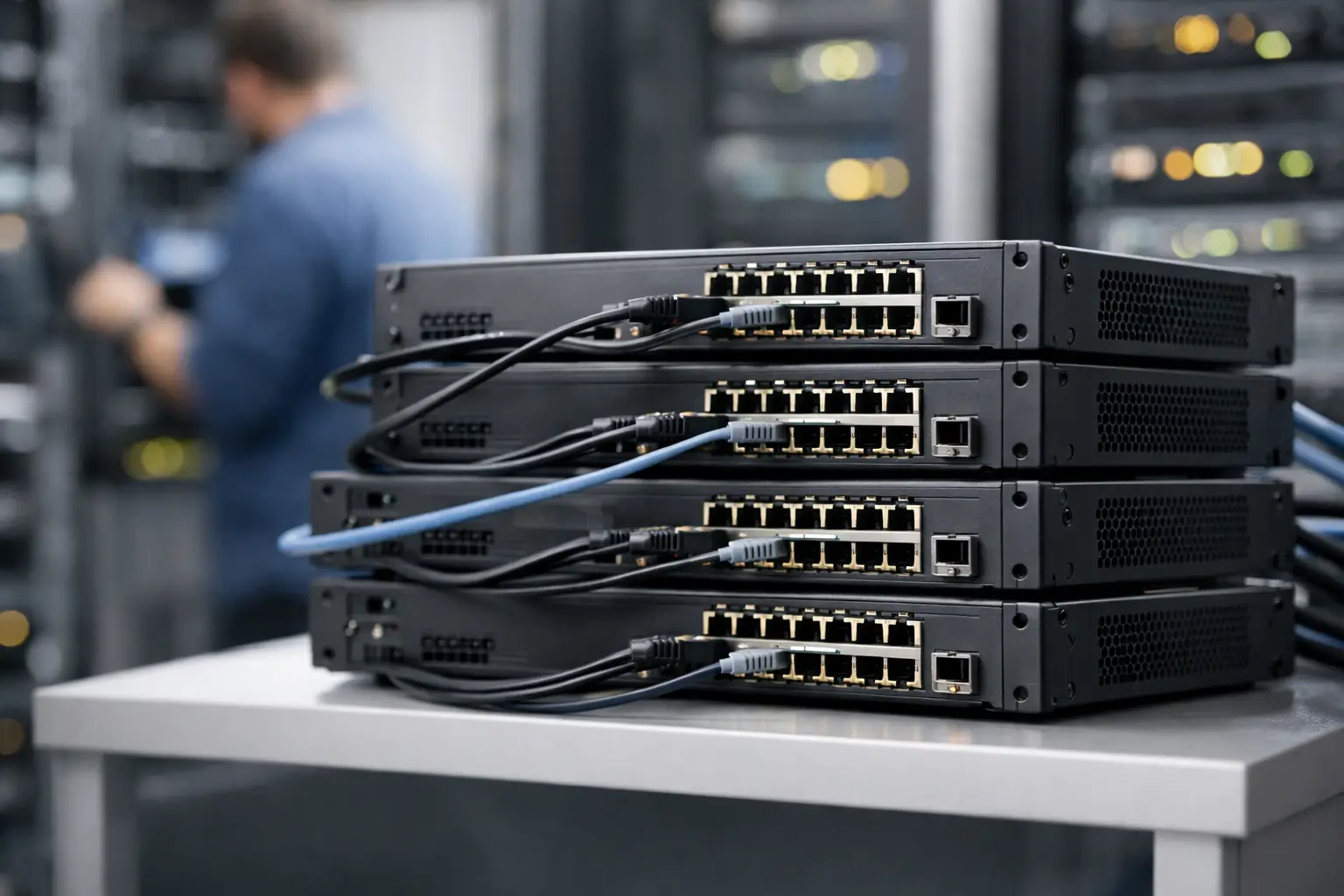
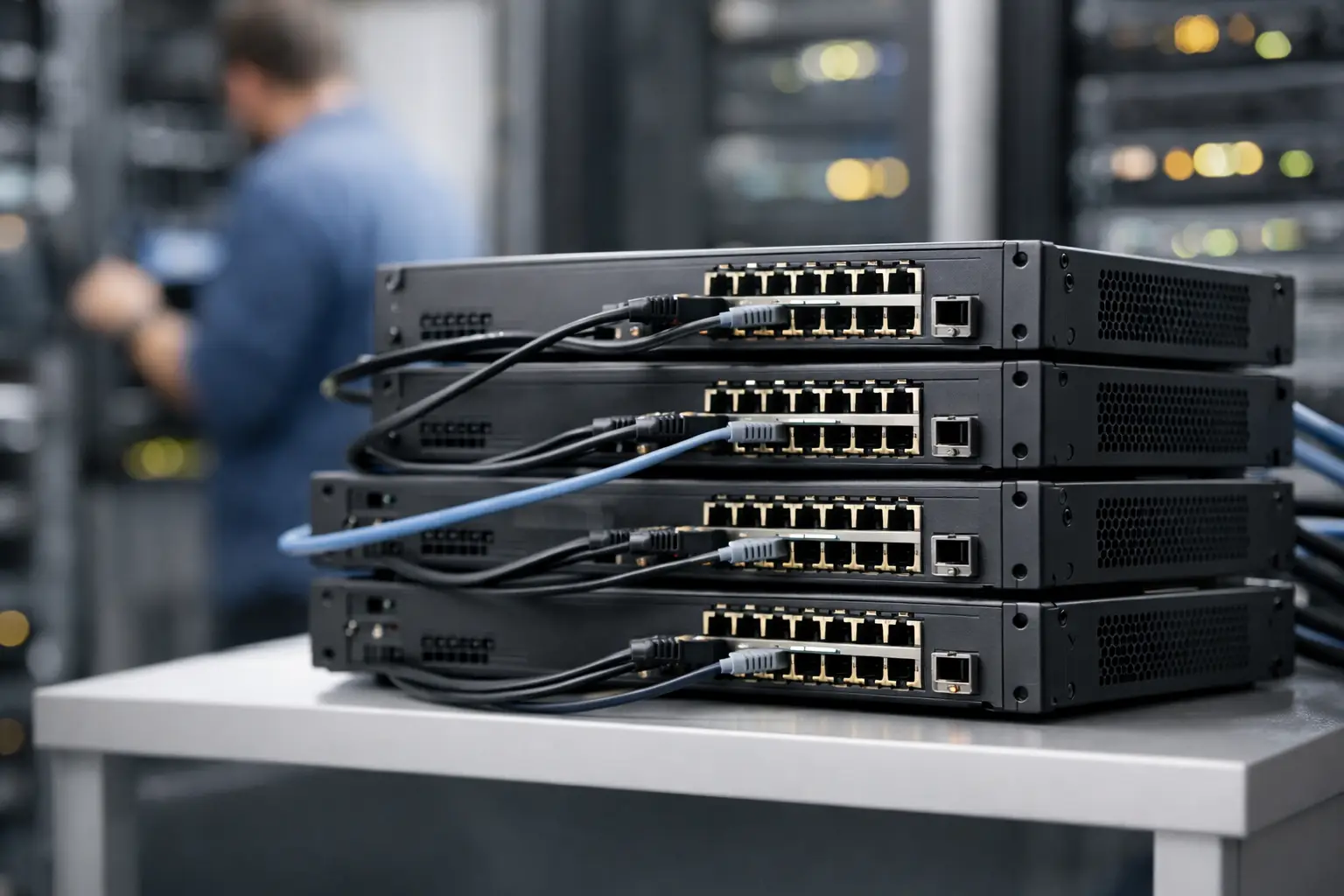
A network closet with six separately managed access switches creates six configuration points, six upgrade tasks, and six opportunities for inconsistent settings. What is switch stacking? It is a way to connect compatible switches so they operate as one logical switching system, while still providing the port density of several physical units.
For businesses adding users, wireless access points, IP phones, cameras, or edge devices, stacking can make a multi-switch deployment easier to operate without immediately moving to a chassis-based platform. It is not automatically the right answer for every site, however. The value depends on the switch family, redundancy requirements, traffic design, and future growth plan.
What Is Switch Stacking in a Network?
A switch stack is a group of compatible Ethernet switches connected through a vendor-supported stacking method. In many enterprise platforms, dedicated stack ports and stack cables carry the inter-switch control and data traffic. Some models use high-speed uplink ports or a virtual stacking feature over standard Ethernet connections instead.
Once the stack is formed, administrators normally manage the members through one management IP address and one command-line or web interface. The system elects an active switch to run the control plane, and many designs can assign another member as a standby controller. Each physical switch keeps its own ports, power supply, and hardware identity, but the stack presents itself as a single logical switch.
This approach is common in access-layer deployments. A company may place 48-port PoE switches in one stack to serve desks, phones, access points, and surveillance cameras from a unified configuration. Cisco, HPE, Juniper, Huawei, and other enterprise vendors each use their own stacking technologies, supported models, cable types, and software requirements.
How a Switch Stack Works
The active stack member maintains the shared configuration and coordinates the control functions for the group. VLANs, access policies, port security, quality-of-service settings, and management users can be configured at the stack level rather than recreated on every switch.
Traffic behavior depends on the platform. Dedicated stack links may carry traffic between members at high speed, letting devices connected to different switches communicate without consuming ordinary uplink ports. The available stack bandwidth, forwarding architecture, and cable topology determine how much capacity is available when traffic crosses from one member to another.
A properly designed stack often uses a ring topology. Each switch connects to two neighboring members, creating two paths around the stack. If one stack cable fails, the remaining path can keep the stack connected. A linear chain is simpler and may be acceptable in a small deployment, but one cable failure can isolate the switches beyond that break.
Stacking also enables cross-stack link aggregation on many platforms. For example, a server, firewall, or distribution switch can use an aggregated uplink with member links connected to separate stack switches. If one physical member fails, the other link may remain available. This is useful only when the connected device and switch platform support the chosen aggregation design.
Why Businesses Use Stacking
The main benefit is operational efficiency. A network team can provision several switches as a unit, monitor them from one interface, and apply common policies consistently. That reduces repetitive work when a site has more ports than one switch can provide.
Stacking can also improve access-layer availability. With redundant stack cables, a standby control role, and uplinks spread across different members, the design can tolerate certain cable or switch failures with less disruption than a set of independent switches. It may also reduce the need for multiple standalone management addresses and separate configuration backups.
Port growth is another practical reason. An organization can begin with two 24-port switches and add compatible members as headcount, wireless coverage, or camera count increases. For procurement teams, this can support phased purchasing while preserving a standard hardware family.
The gains are real, but they should not be overstated. A stack is easier to manage, not immune to failure. It remains a shared system with shared software, shared configuration, and in some cases shared fault domains.
Switch Stacking vs. Standalone Switches
Standalone switches are managed individually. They may still be connected with uplinks and can deliver excellent performance, especially in smaller networks or designs where each switch serves a separate area. Their advantage is fault isolation: a software issue or configuration error on one device is less likely to affect every other access switch.
A stack centralizes management and can make uplink redundancy easier, but it requires compatibility discipline. Stack members usually need to be from the same product family, run supported software releases, and use the correct stacking accessories. Mixing switch generations or using an unsupported cable can prevent the stack from forming or lead to unstable operation.
Independent switches can be the better choice when a site has only one or two units, when physical separation makes stack cabling impractical, or when the network design intentionally separates management and failure domains. They are also useful when the equipment mix cannot meet a vendor’s stacking rules.
Switch Stacking vs. a Chassis Switch
A chassis switch is built around a shared chassis with modular line cards, power supplies, fans, and often multiple supervisor modules. It generally provides greater slot capacity, higher-scale redundancy options, and a more integrated hardware architecture than a stack of fixed switches.
Stacking is usually less expensive and easier to expand in small increments. It is well suited to wiring closets, branch offices, retail sites, and access layers where fixed-port switches provide enough density. A chassis may be the better fit for a core or aggregation role that needs high throughput, large routing tables, advanced redundancy, or many high-speed interfaces in one location.
The correct choice is based on requirements, not on the number of ports alone. A 192-port access environment might be an excellent stack use case. A 192-port aggregation environment carrying critical server, storage, and campus traffic may need a chassis or a pair of high-availability switches instead.
Key Limits and Risks to Plan For
Before selecting stack-capable hardware, review the platform documentation rather than assuming every switch with multiple uplink ports can stack. The following factors matter most:
- Compatibility: Confirm the exact switch models, stack modules, cable types, transceivers, software release, and licensing requirements supported by the manufacturer.
- Stack bandwidth: Check the bandwidth available between members and compare it with expected east-west traffic, uplinks, and PoE device traffic patterns.
- Maximum members: Each vendor and switch family sets a maximum stack size. Leave room for expected expansion rather than designing at the limit on day one.
- Failure behavior: Understand active-member failover, reboot behavior during software upgrades, and what happens if a stack partition occurs.
- Power and PoE budget: Total port count does not equal available PoE capacity. Calculate power requirements for access points, phones, cameras, and other powered devices per switch.
A stack-wide software update deserves special attention. Some platforms support methods intended to reduce downtime, while others require a reload of the entire stack or multiple members. For a business network supporting phones, payment terminals, security systems, or production devices, schedule maintenance based on the documented behavior of the exact platform and software version.
A Practical Design Checklist
Start by defining the role of the switches. For an access stack, calculate endpoint count, copper and fiber uplinks, PoE consumption, required VLANs, and expected growth over the next three to five years. Select the port speed and uplink speed based on real traffic demand, not just the lowest available purchase price.
Then design redundancy end to end. Use a supported stack ring where possible, place the active and standby roles on different physical members if the platform allows it, and distribute uplinks across members. Redundant uplinks only help when they terminate on separate paths and are configured correctly at both ends.
Standardize the bill of materials. Include the switches, correct stacking cables or modules, power supplies where applicable, uplink optics or DAC cables, rack accessories, and spare units. Incompatible accessories are a common source of deployment delays, particularly when equipment is sourced in phases.
Finally, test the stack before production installation. Verify member numbering, active and standby status, stack topology, uplink aggregation, VLAN propagation, PoE operation, monitoring, and recovery procedures. A controlled cable-failure and member-failure test can reveal design issues before users depend on the network.
When Switch Stacking Is the Right Purchase
Switch stacking is a strong option when an organization needs more access ports than one fixed switch provides and wants centralized management with practical redundancy. It is especially effective for standardized campus closets, branch networks, schools, hospitality sites, and offices with growing PoE demand.
It is less attractive when switches are widely separated, when the platform’s stack bandwidth cannot support the traffic pattern, or when a shared software and control-plane domain conflicts with the availability objective. In those cases, independent switches, a redundant pair using multi-chassis technologies, or a chassis design may be more appropriate.
For procurement, the best result comes from matching the stack design to the exact switch family and accessory set, rather than treating stacking as a generic feature. GreenCode Tech can help source compatible enterprise switching hardware and the associated cables, optics, and power components so the deployment arrives ready for the design you intend to build.
What Is Switch Stacking? Benefits and Limits
A network closet with six separately managed access switches creates six configuration points, six upgrade tasks, and six opportunities for inconsistent settings. What is switch stacking? It is a way to connect compatible switches so they operate as one logical switching system, while still providing the port density of several physical units.
For businesses adding users, wireless access points, IP phones, cameras, or edge devices, stacking can make a multi-switch deployment easier to operate without immediately moving to a chassis-based platform. It is not automatically the right answer for every site, however. The value depends on the switch family, redundancy requirements, traffic design, and future growth plan.
What Is Switch Stacking in a Network?
A switch stack is a group of compatible Ethernet switches connected through a vendor-supported stacking method. In many enterprise platforms, dedicated stack ports and stack cables carry the inter-switch control and data traffic. Some models use high-speed uplink ports or a virtual stacking feature over standard Ethernet connections instead.
Once the stack is formed, administrators normally manage the members through one management IP address and one command-line or web interface. The system elects an active switch to run the control plane, and many designs can assign another member as a standby controller. Each physical switch keeps its own ports, power supply, and hardware identity, but the stack presents itself as a single logical switch.
This approach is common in access-layer deployments. A company may place 48-port PoE switches in one stack to serve desks, phones, access points, and surveillance cameras from a unified configuration. Cisco, HPE, Juniper, Huawei, and other enterprise vendors each use their own stacking technologies, supported models, cable types, and software requirements.
How a Switch Stack Works
The active stack member maintains the shared configuration and coordinates the control functions for the group. VLANs, access policies, port security, quality-of-service settings, and management users can be configured at the stack level rather than recreated on every switch.
Traffic behavior depends on the platform. Dedicated stack links may carry traffic between members at high speed, letting devices connected to different switches communicate without consuming ordinary uplink ports. The available stack bandwidth, forwarding architecture, and cable topology determine how much capacity is available when traffic crosses from one member to another.
A properly designed stack often uses a ring topology. Each switch connects to two neighboring members, creating two paths around the stack. If one stack cable fails, the remaining path can keep the stack connected. A linear chain is simpler and may be acceptable in a small deployment, but one cable failure can isolate the switches beyond that break.
Stacking also enables cross-stack link aggregation on many platforms. For example, a server, firewall, or distribution switch can use an aggregated uplink with member links connected to separate stack switches. If one physical member fails, the other link may remain available. This is useful only when the connected device and switch platform support the chosen aggregation design.
Why Businesses Use Stacking
The main benefit is operational efficiency. A network team can provision several switches as a unit, monitor them from one interface, and apply common policies consistently. That reduces repetitive work when a site has more ports than one switch can provide.
Stacking can also improve access-layer availability. With redundant stack cables, a standby control role, and uplinks spread across different members, the design can tolerate certain cable or switch failures with less disruption than a set of independent switches. It may also reduce the need for multiple standalone management addresses and separate configuration backups.
Port growth is another practical reason. An organization can begin with two 24-port switches and add compatible members as headcount, wireless coverage, or camera count increases. For procurement teams, this can support phased purchasing while preserving a standard hardware family.
The gains are real, but they should not be overstated. A stack is easier to manage, not immune to failure. It remains a shared system with shared software, shared configuration, and in some cases shared fault domains.
Switch Stacking vs. Standalone Switches
Standalone switches are managed individually. They may still be connected with uplinks and can deliver excellent performance, especially in smaller networks or designs where each switch serves a separate area. Their advantage is fault isolation: a software issue or configuration error on one device is less likely to affect every other access switch.
A stack centralizes management and can make uplink redundancy easier, but it requires compatibility discipline. Stack members usually need to be from the same product family, run supported software releases, and use the correct stacking accessories. Mixing switch generations or using an unsupported cable can prevent the stack from forming or lead to unstable operation.
Independent switches can be the better choice when a site has only one or two units, when physical separation makes stack cabling impractical, or when the network design intentionally separates management and failure domains. They are also useful when the equipment mix cannot meet a vendor’s stacking rules.
Switch Stacking vs. a Chassis Switch
A chassis switch is built around a shared chassis with modular line cards, power supplies, fans, and often multiple supervisor modules. It generally provides greater slot capacity, higher-scale redundancy options, and a more integrated hardware architecture than a stack of fixed switches.
Stacking is usually less expensive and easier to expand in small increments. It is well suited to wiring closets, branch offices, retail sites, and access layers where fixed-port switches provide enough density. A chassis may be the better fit for a core or aggregation role that needs high throughput, large routing tables, advanced redundancy, or many high-speed interfaces in one location.
The correct choice is based on requirements, not on the number of ports alone. A 192-port access environment might be an excellent stack use case. A 192-port aggregation environment carrying critical server, storage, and campus traffic may need a chassis or a pair of high-availability switches instead.
Key Limits and Risks to Plan For
Before selecting stack-capable hardware, review the platform documentation rather than assuming every switch with multiple uplink ports can stack. The following factors matter most:
- Compatibility: Confirm the exact switch models, stack modules, cable types, transceivers, software release, and licensing requirements supported by the manufacturer.
- Stack bandwidth: Check the bandwidth available between members and compare it with expected east-west traffic, uplinks, and PoE device traffic patterns.
- Maximum members: Each vendor and switch family sets a maximum stack size. Leave room for expected expansion rather than designing at the limit on day one.
- Failure behavior: Understand active-member failover, reboot behavior during software upgrades, and what happens if a stack partition occurs.
- Power and PoE budget: Total port count does not equal available PoE capacity. Calculate power requirements for access points, phones, cameras, and other powered devices per switch.
A stack-wide software update deserves special attention. Some platforms support methods intended to reduce downtime, while others require a reload of the entire stack or multiple members. For a business network supporting phones, payment terminals, security systems, or production devices, schedule maintenance based on the documented behavior of the exact platform and software version.
A Practical Design Checklist
Start by defining the role of the switches. For an access stack, calculate endpoint count, copper and fiber uplinks, PoE consumption, required VLANs, and expected growth over the next three to five years. Select the port speed and uplink speed based on real traffic demand, not just the lowest available purchase price.
Then design redundancy end to end. Use a supported stack ring where possible, place the active and standby roles on different physical members if the platform allows it, and distribute uplinks across members. Redundant uplinks only help when they terminate on separate paths and are configured correctly at both ends.
Standardize the bill of materials. Include the switches, correct stacking cables or modules, power supplies where applicable, uplink optics or DAC cables, rack accessories, and spare units. Incompatible accessories are a common source of deployment delays, particularly when equipment is sourced in phases.
Finally, test the stack before production installation. Verify member numbering, active and standby status, stack topology, uplink aggregation, VLAN propagation, PoE operation, monitoring, and recovery procedures. A controlled cable-failure and member-failure test can reveal design issues before users depend on the network.
When Switch Stacking Is the Right Purchase
Switch stacking is a strong option when an organization needs more access ports than one fixed switch provides and wants centralized management with practical redundancy. It is especially effective for standardized campus closets, branch networks, schools, hospitality sites, and offices with growing PoE demand.
It is less attractive when switches are widely separated, when the platform’s stack bandwidth cannot support the traffic pattern, or when a shared software and control-plane domain conflicts with the availability objective. In those cases, independent switches, a redundant pair using multi-chassis technologies, or a chassis design may be more appropriate.
For procurement, the best result comes from matching the stack design to the exact switch family and accessory set, rather than treating stacking as a generic feature. GreenCode Tech can help source compatible enterprise switching hardware and the associated cables, optics, and power components so the deployment arrives ready for the design you intend to build.